Implement custom visualizations (Rust only)
There are three ways to extend the Rerun Viewer with custom Rust code, depending on how deep you need to go: embedding custom UI panels alongside the Viewer, adding a custom visualizer to a built-in view, or implementing an entirely new view class.
⚠️ Note that the interfaces for extending the Viewer are not yet stable. Expect code implementing custom extensions to break with every release of Rerun.
Embedding custom UI in the Viewer embedding-custom-ui-in-the-viewer
In the above screenshot you see the example extend_viewer_ui, which contains the Rerun Viewer to the left and a custom panel to the right. In this example the panel contains a hierarchical text view of the loaded data.
How to build it how-to-build-it
The Rerun Viewer is defined by the crate re_viewer. It uses the popular Rust GUI library egui (written by our CTO) and its framework eframe. To extend the UI you need to create your own eframe application and embed re_viewer inside of it. You can then use egui to add custom panels and windows.
The best way to get started is by reading the source code of the extend_viewer_ui example.
Custom visualizers for built-in views custom-visualizers-for-builtin-views

You can register custom visualizers with existing built-in views (such as the 3D Spatial View) without having to implement an entire view class from scratch. This is the right approach when your data fits naturally into an existing view but needs custom rendering. A custom visualizer typically consists of a custom archetype, a visualizer system, and optionally a custom GPU renderer.
The custom_visualizer example demonstrates this by adding a GPU-rendered heightfield to the built-in 3D Spatial View. See its README for a detailed walkthrough of the three parts involved.
Custom view classes custom-view-classes
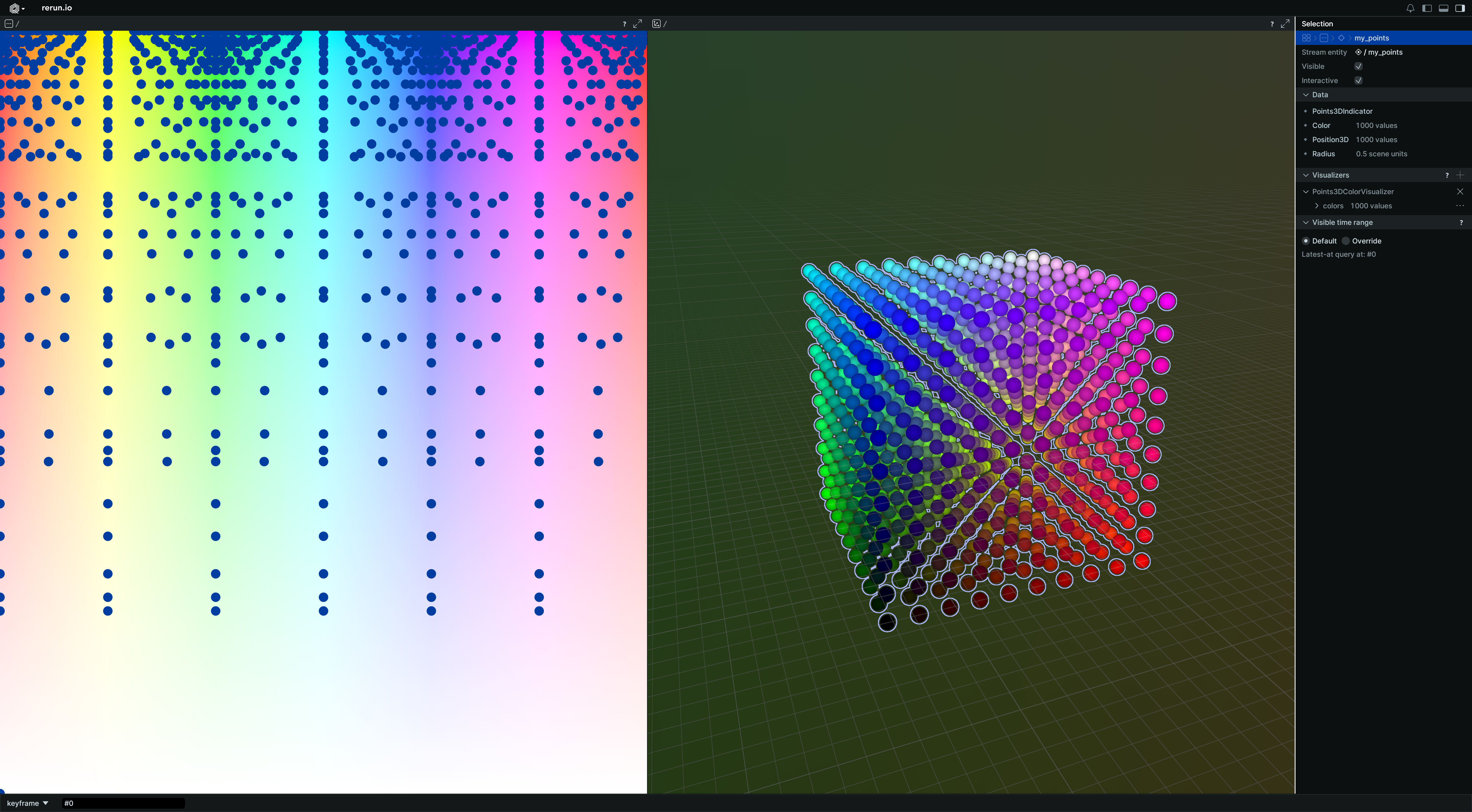
If you need a completely new kind of view (not just a new visualizer within an existing view), you can implement a custom view class.
The custom_view example demonstrates how to add a fully custom View class to Rerun on startup.
Views that are added this way have access to the exact same interfaces as all other Views,
meaning that any of the built-in Views can serve as an additional example on how to implement Views.
The best way to get started is by reading the source code of the custom_view example.
Future work future-work
In the future we'll allow embedding your own GUI widgets inside existing views.
Beyond that we want to open customizability to more languages and support adding ui elements with callbacks via blueprint definitions.
For more information check https://github.com/rerun-io/rerun/issues/3087